Avatar Assignment
Avatar Assignment
1. Portrait Illustrator Maker
 Pros: There were many choices in hair, eyes, mouths and other facial features. Many different choices on how you want the character to look, such as makeup, glasses, accessory, had placement, and others.
Cons: The quality of the picture was not good once I saved it. I couldn’t see the body properly so I found there was no point in the clothes because all the clothes covered was the neck and shoulders
2. DobbleMe
 Pros: the quality of the pictures was good. The avatar looked like a cartoon and less like a real person, which I prefer in an avatar.
Cons: The moment I got to this site I immediately disliked it. I disliked it because there weren’t many choices for the avatar. There were very little choices and the items that I wanted were not available to me because I did not have an account. I also disliked the fact that I couldn’t change the characters face shape or body. Another thing I disliked was that the coloring was not that great, if you notice the black hair on the character is more of a grey black then a jet black. Overall I disliked that there weren’t many options for the hair and clothes, and I disliked the fact that the coloring was bad.
3. Planet Creation
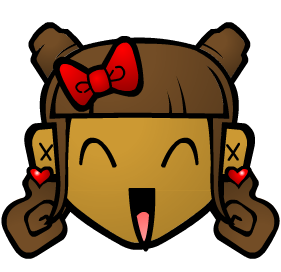 Pros: The quality of the picture was really good. The website was very bright and clear. The choices and avatar head were big and easy to see.
Cons: At first I had trouble getting into the program but later it was solved and I was able to make my avatar. I found that the amount of facial expressions and hair styles was lacking, so I didn’t like it much.
4. Voki
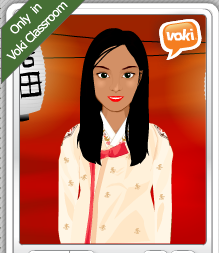 Pros: I like how I could chose a character first and later customize it. I liked how the hairstyle options changed when I switched the character. I liked the backgrounds. I like how there were many options which changed depending on the character I picked.
Cons: I didn’t like it when there was a hairstyle that I liked for a different character but was not available for the character I wanted. I wish that they would have more character options.
5. Otaku Avatar maker
 Pros: Otaku was probably my favorite avatar maker because it made my avatar look really cute and adorable. Otaku is very similar to portrait illustrator maker; both seem to be from the same company. This was probably my favorite website because of the many choices. There were many choices in hair style, eyes, hand placement, clothes, shoes, and other categories. The quality of picture was really good compared to the portrait illustrator maker
Cons: The avatar is very tiny, and many of the options on what to put on the character were very tiny and hard to see. One of the dresses that I wanted had arms attached to it so when I changed the positions of my arms and put the dress on, the dress made it look as if the avatar had 4 arms instead of 2.
6. Bitstrips
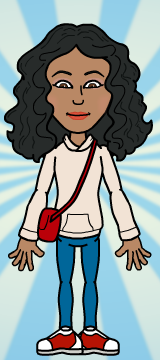 Pros: I liked how it asked about the features of how we looked and went step by step. I liked how I could preview the hairstyles, clothing, and facial features before moving on to the next step. There was not too many or too less of options so I liked it.
Cons: Once the step by step procedure finished I found out there were more options of clothes and the color of the clothes as well. I didn’t like how the clothing ways layered on. I didn’t like the clothing options.
My favourite avatar website was, like I mentioned above, was Otaku Avatar maker. Even though it was very similar to illustrator maker, it was my favourite. I liked it a lot because the avatar turned out very cute and adorable. The picture was high quality. There were many options and categories to choose from. I mostly liked the website because it made my avatar look very cute and anime-style.